English






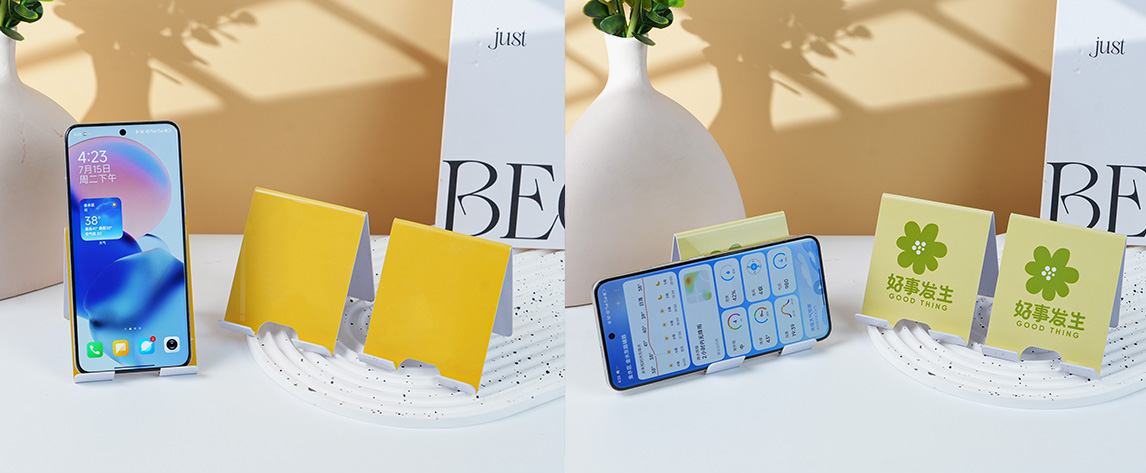
PVC Mobile Phone Holder
Product Effect
PRODUCT
Product Specifications
PRODUCT SPECIFICATIONS
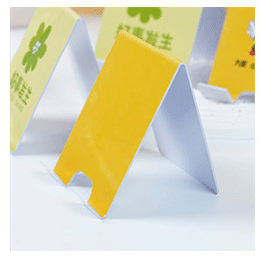
Fixed Size:
200×80 (unit: mm)
Product Material
PRODUCT MATERIAL

It is recommended to use the above common thicknesses. If you have other thickness requirements, please consult customer service for details. There will be slight errors in the thickness after the actual product is laminated, please be aware.
Ensure that all materials are new materials, which have better color restoration, stronger toughness, and are durable.
Glossy Card
Smooth surface, bright and rich colors, affordable price, and wide range of uses.
[Thickness] 1.2MM
Glossy Card
Smooth surface, bright and rich colors, affordable price, and wide range of uses.
[Thickness]1.2MM
Ensure that all materials are new materials. New materials have better color restoration, stronger toughness, and are durable.
Precautions
PRECAUTIONS
I. Bending Card Design:
- When calculating the price and placing an order for bending cards, the total unfolded size (including the size of the bending part) should be used;
- PVC phone holders have fixed bending angles and positions, and template files can be used.
- If there is a bending deviation and the content that does not want to be bent, it should be more than 3MM away from the bending line;
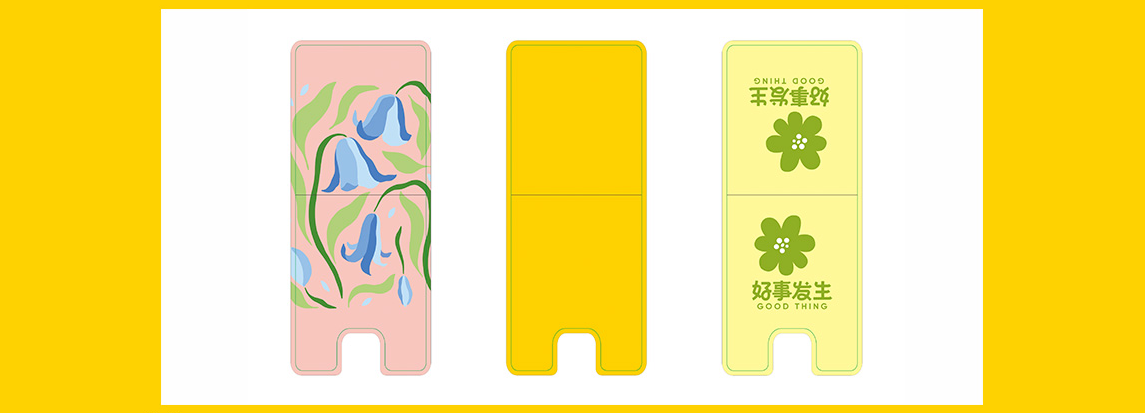
2. Size Design:
The finished product size is 200*80MM, and the designed bleed size is 206*86MM. 3mm bleed needs to be added to each side, and the content after bleeding needs to be at least 6mm away from the bleed edge.
3. Color Control:
The production file needs to be in CMYK color mode, and spot color printing is not supported. Color adjustment design can be referred to the color spectrum. For default combination printing, there will be a color difference of about 10%-15%. The black background is recommended to be designed as C30 M0 Y0 K100 or single black. The gray background is designed as single gray. It is not recommended to design a large area of too dark background. The sum of CMYK needs to be less than 260 to avoid multi-color or color cast in one card.
4. Common File Issues:
Vector tracing (CDR/AI), PJPG (resolution greater than 500) files. Vector text is recommended to be above size 5, JPG format is recommended to be above size 6, black text must be designed as single black, QR code is designed to be above 2CM, single black. When the single side size is less than 80mm, the finished product is easy to have interface or die-cutting errors. Please inform the customer in advance according to the customer's situation!

PVC Category - PVC Mobile Phone Holder Product Ordering Instructions
Dear Customer:
PVC mobile phone holders are processed automatically. To improve efficiency for both of us, please abide by the following rules!
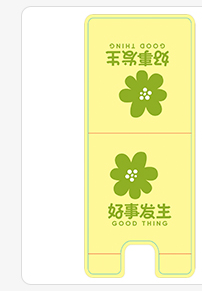
1. Bending Card Registration Standards
- The unfolded size for bending card registration needs to include the bending part;
- PVC mobile phone holders have fixed bending angles and positions, and template files can be used.
- There is a 3mm error in the bending position. Important content should be at least 3mm away from the bending line to avoid bending the content.
V. Design Tips
Black and Gray
- Black Text:
PDF/CDR files: Black text color value C0 M0 Y0 K100,
JPG files: Black text color value C0 M0 Y0 K100, no stroke color mode multiply, if there is a stroke color mode normal. - Large area black background: C0 M0 Y0 K100, if you want to be darker, it is recommended to use color value C30 M0 Y0 K100;
- Gray text and gray background design single color gray, C0 M0 Y0 K (8 - 90).
- Black Text:
QR Code
The QR code is printed directly according to your designed file without post - processing. The QR code is recommended to be designed in single black and the size should be ≥14mm. If your QR code is too small or in four colors, it may not be scanned.
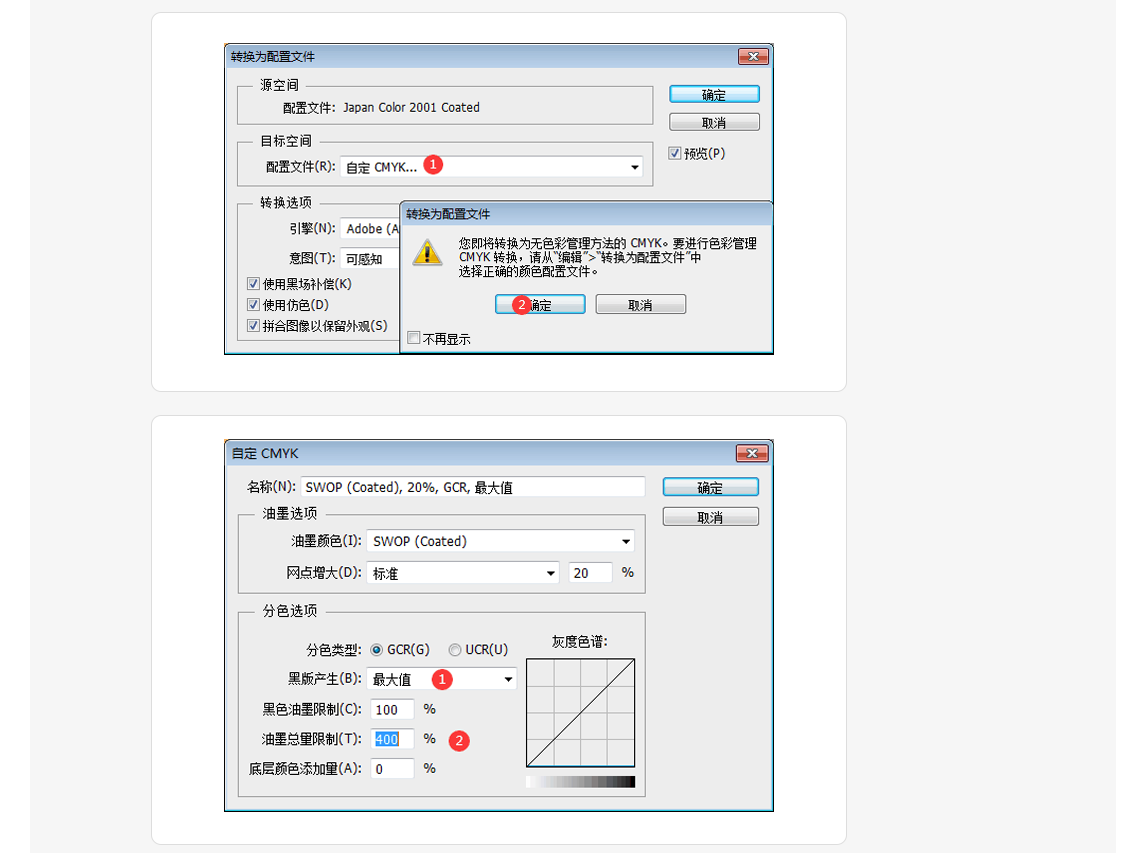
The four - color black of the QR code can be changed to single black. The following steps can be operated in the PSD software:
Open the QR code with PSD → Edit → Convert to Profile → Destination Space, select "Custom CMYK" for the profile, no other changes, click OK, click OK in the popped - up window → Custom CMYK, select "Maximum" for black plate generation, enter "400" in the ink volume limit, click OK → Check if the QR code is single black in the information panel. (The following is the specific setting, for reference, it can be set as an action for easy operation next time)
- Dangerous Colors and Design Color Precautions
Containing C Color
More C Color Value
Four - Color Black
- The above figure lists some dangerous colors. When printing such colors, ink streaks will occur and the color difference will be obvious. These problems are phenomena that are difficult to avoid in printing. In order to ensure that you can deliver normally, please inform the customer in advance. It is recommended that the sum of CMYK four colors ≤ 250.
- If the individual color values of the four colors CMK on PVC are more than 8, and Y is more than 15, if the color is too light, it will lead to the color being too light and unable to print out the color.
- Please design CMYK four colors for the color, do not design spot colors and RGB colors. If the color of your file is not CMYK color, there will be changes if we directly change the color.
- Some common color recommended color values:
Yellow series: C=0. If you want the color to be dark, you can add K to darken the color. If the yellow series in your file contains C cyan, the color will be greenish and dark. For example: C0 M30 Y90 K10
Blue: It is recommended that the M color value <80. For example: C100 M70 Y0 K0
Purple: It is recommended that the C color value <75. For example: C70 M100 Y0 K0
Dark red: C=0, K≤60. For example: C0 M100 Y100 K30
Dark green: M=0, K≤60. For example: C100 M0 Y100 K40
Dark blue: Y=0, K≤50. For example: C100 M75 Y0 K40
Dark purple: Y=0, K≤50. For example: C60 M100 Y0 K40
Coffee color: Do not have all four colors of CMYK. For example: C0 M80 Y100 K60
04. In order to ensure the printing effect, it is recommended that the file be sent as a vector file (CDR), JPG (JPG image with a resolution of more than 500).